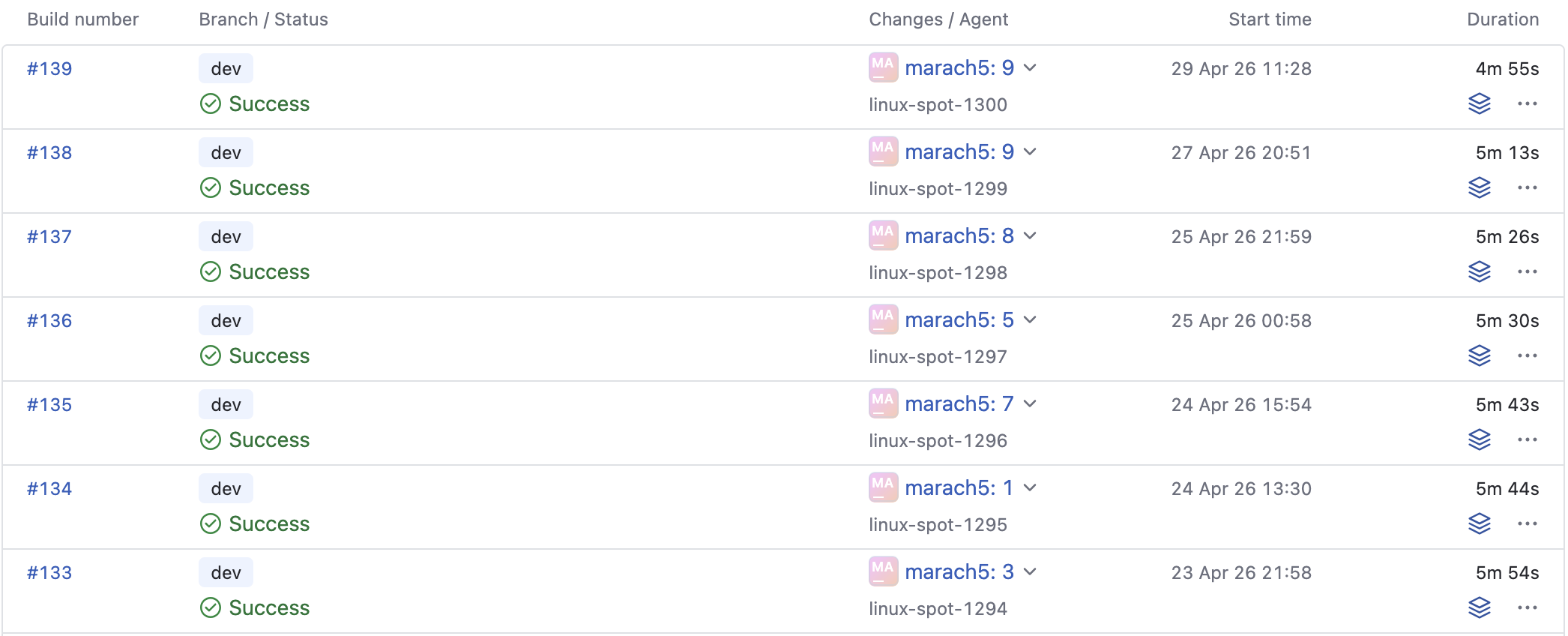
Okay, I know I said score saving would be next. But then I found something that needed fixing, and one fix led to another… and now we’re at version 0.1.1 and it’s nearly all fixes and improvements. But that’s it now, promise. Let’s get into it.
Owning the libs
I don’t like wasting time, so whenever I need to do something, I first check if there’s a library that already does it for me. Most of the time, there is! So, I integrate it with the project and get on with my day. Typically that’s the end of it, but needs can change over time, and libraries that used to be a good fit turn out to be too limited or lacking in features. In this version, a lot of the technical debt around libraries was replaced with a complete reimplementation better suited to the game’s requirements.
Rewrote the limiter
An off-the-shelf limiter from Signalsmith Basics is now custom code. This lets me make implementation choices that better suit the game. Playnote already performs volume normalization, so peaks during gameplay rarely clip, and not by much. So, the limiter should be as transparent as possible, reducing these peaks in a way that prevents clipping distortion but doesn’t affect the dynamics of anything around them. I went for a short 1 millisecond look-ahead window to minimize the impact on latency, and linear falloff so that gain takes less time to decay if the peak was small. Any future effects should now be able to share the look-ahead window to collapse their latencies together.
Rewrote the logger
Quill has served well, but the time has come to go fully custom. Playnote had a lot of code wrapping it to implement categories and logging-to-string, and was starting to fight Quill’s design. The new, custom logger is simpler and implements the needed features directly rather than via wrappers. It’s probably slower too, but it’s still asynchronous (writes happen from a dedicated thread), so it’s good enough. Most importantly, Playnote isn’t locked to Quill’s version of {fmt}, which is now a completely independent concern.
Replaced the font atlas packer
This one isn’t quite a reimplementation, but the msdf-atlas-gen wrapper of msdfgen is now gone and replaced by an off-the-shelf smol-atlas packer. It’s simpler to use, more powerful, and its packing algorithm is a perfect fit for sets of rectangles with a few distinct heights – such as font glyphs. As a bonus we don’t need to build and link in libpng, which is for some reason an unconditional dependency of msdf-atlas-gen.
Rewrote glyph rasterization
Yep, msdfgen is gone too. Only as a dependency, though – its spirit is still with us, because I ported the algorithm to a compute shader:
- FreeType extracts curve data of the glyph,
- The curves are prepared for the MSDF algorithm on CPU,
- The prepared curves are uploaded to the GPU,
- The compute shader on GPU rasterizes the glyph(s) into the MSDF atlas.
The end result is that it’s insanely fast. On my dev laptop, one glyph rasterizes in 0.2 milliseconds, and 70 glyphs rasterize in 1.6 milliseconds. Notably, it’s much faster still than MSDFGL, which doesn’t have the benefit of compute-only features like group-shared memory, and performs outline normalization in the shader as well, which as a uniform operation is better off done during CPU preparation phase.
It is so fast, in fact, that I could drop the pre-baked initial atlas entirely. The game now rasterizes all glyphs it needs at runtime, and it’s still well within the frame budget. As a side effect, the game takes less time to build, and the download size got smaller.
Rewrote the coroutine runner
Instead of libcoro, all C++ coroutine boilerplate is now in-house. Loadings and imports got faster immediately, mostly due to the use of lock-free queues.
The new code also has support for task priority. Some tasks are more important than others, because the player can’t do anything before they’re finished. These tasks are enqueued with higher priority, so while they don’t interrupt the currently running ones, they are picked up as soon as possible. A song taking 2 minutes to load because an import job needs to finish first is not very good UX. I mentioned this in a previous progress report, but now it’s integrated into the design rather than bolted on top.
A useful new primitive is a “shared task”. This kind of task starts running as soon as it’s created, and then can be awaited any number of times anytime afterwards. It yields the result once complete, and awaiting it after that produces that same result immediately. It’s like a coroutine version of a future, and useful for building caches.
Rewrote file handling
Out goes memory-mapping with mio. All disk reads and writes (aside from SQLite doing its own thing) now go through OS-specific APIs using native file handles. This lets each system specify additional hints to the OS about how it’s going to be using the file, for example sequential or random reads, whether the memory page can be immediately evicted, etc.
Most importantly, all file operations are now available in an async version, using io_uring on Linux (via liburing) and IOCP on Windows. These operations return coroutines so that the caller can suspend during disk I/O and resume once it’s finished, allowing the underlying thread to execute any pending CPU work in the meantime.
Rewrote ZIP archiving
Any imports you drop into the game window still go through libarchive. This is okay, it has very high format compatibility, and in that scenario it’s more important than being fast. Things are different in song loading, though. This is what the player does constantly, every 3 minutes or so. Playnote already wrote songs into a very specific subset of the ZIP format, but performance improvements from the simplified bitstream and the new async I/O were left on the table until now.
In this context, libarchive was replaced with custom ZIP reading and writing code. The files are composed by hand, still fully compatible with the ZIP format and doubleclickable in your file explorer. The extension is now .songzip though, to signal that they’re not to be messed with, since modifying the file in some archiver program could break the bitstream assumptions. Async writes execute in the background while already working on the later parts of the file, and async reads load individual files from within the ZIP directly from disk into memory. The whole archive is never fully resident in memory anymore, improving performance and reducing RAM usage.
Dev comforts
A few changes were long overdue that make it faster and more convenient to continue working on the game.
Build time improvements
If you made any change at all to any file, it would take 24 seconds to build the modified version of the game and test it. That’s ridiculously long, so I went on a quest to reduce it as much as I could without introducing too much inconvenience. These things helped:
- Optimizing build flags.
-O3is fast, but-O2is also pretty fast and saved 4 seconds.-g1rather than-gis still enough to get backtraces, and saved another 4 seconds. - Tightening the PCH. Over time, I had a lot of stuff there that was used in a tiny minority of the source files, bloating up the PCH size (and therefore the build times of every file) for the benefit of a few. Reducing it to only genuinely omnipresent types saved another few seconds.
- Reducing header dependencies. The code so far was written with no care for transitive header includes, and a lot of code was being included that had no business in being there. This was improved via a mix of forward declarations, Pimpl pattern and the fancy new Vimpl pattern.
In the end, the same incremental build now takes 8 seconds. Not amazing, users of languages like C or Zig (but not Rust) would still laugh at this, but now I feel like I’m getting enough for what I’m paying.
Tracy profiler integration
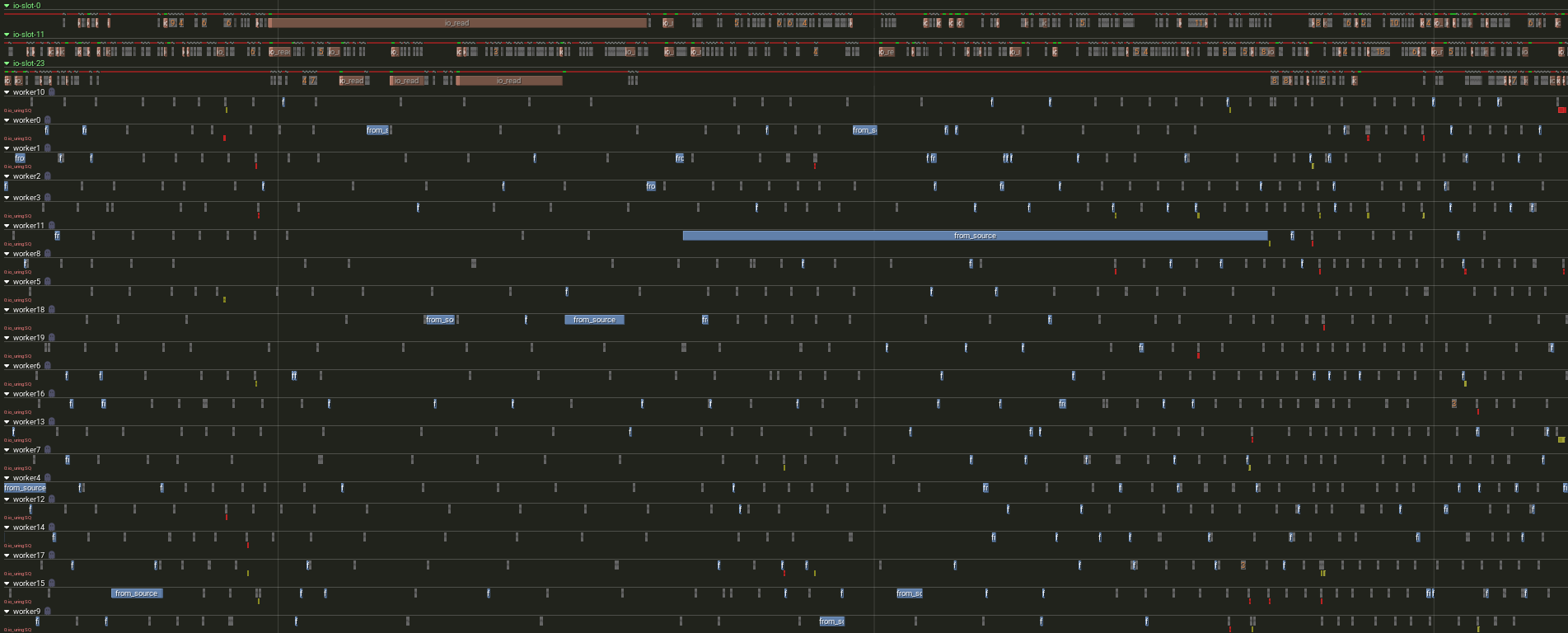
The game is now fully instrumented for profiling with Tracy. It collects a wealth of useful information on how and why parts of the game are performing. Currently, Playnote instruments:
- Render frames, input frames and audio frames,
- Each phase of the layout engine,
- GPU zones for each individual render pass (via vuk‘s Tracy integration),
- The most important mutexes,
- Coroutine execution,
- In-flight async I/O requests.
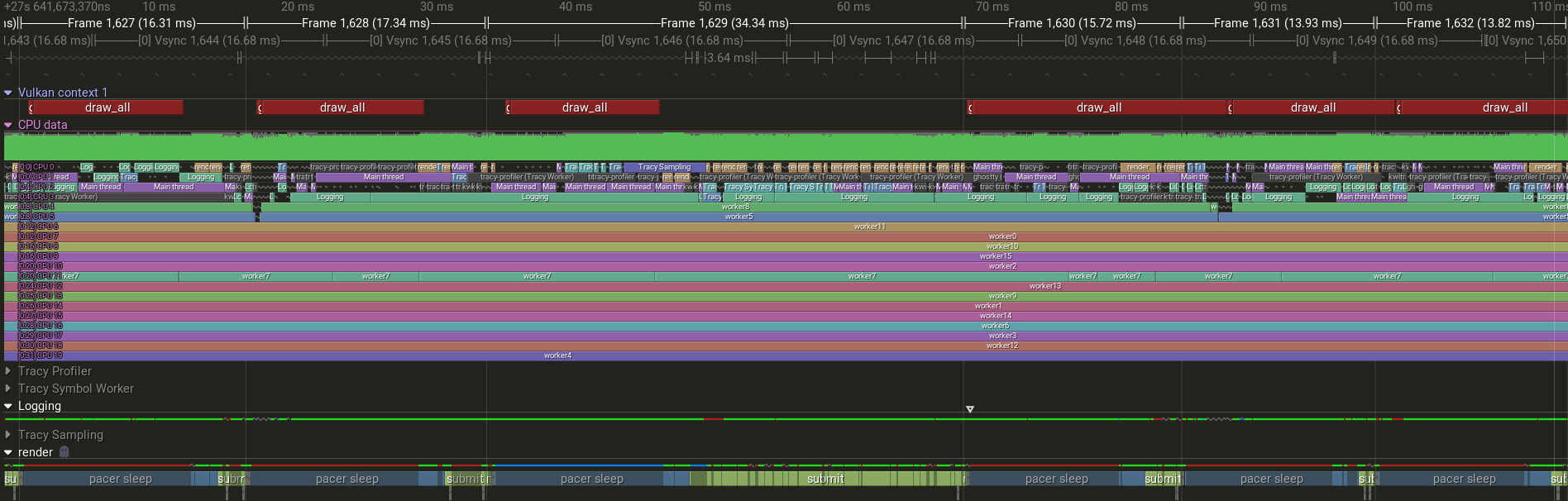
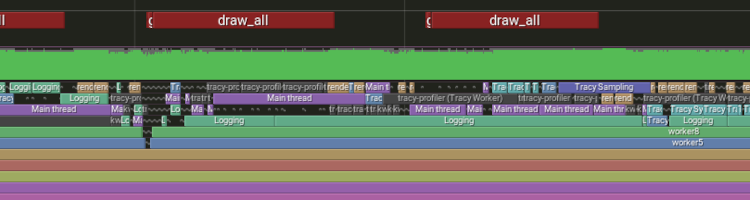
Coroutine and async I/O integration, in particular, wouldn’t be possible without rolling my own executor. This has quickly proven to be absolutely essential in debugging game performance, uncovering issues such as thrashing of the render thread, on-demand msdfgen calls causing frame drops, individual charts of the same song racing to decode the same audio files. It was the foundation for a lot of the improvements mentioned elsewhere in this post. Tracy might not be the most ergonomic to use or the most intuitive to integrate, but it’s hard to match its feature set.
Unit testing
Yes, Playnote has test cases now, via doctest. Two areas are currently tested:
- The BMS parser. At the moment, it checks a few known quirks of the various BMS files out there, but it’s very much just a starting point. When I get to maximizing Playnote’s compatibility with the body of BMS songs in the wild, the number of test cases there will explode.
- The judgment and scoring mechanism. Each test here creates a synthetic chart and plays back a pre-made replay. Timing windows are confirmed to be nanosecond-accurate, as well as behavior of edge cases such as which note is judged when two notes on the same column are close enough for their timing windows to overlap. Long notes, in particular, have a surprising number of behaviors you can get wrong.
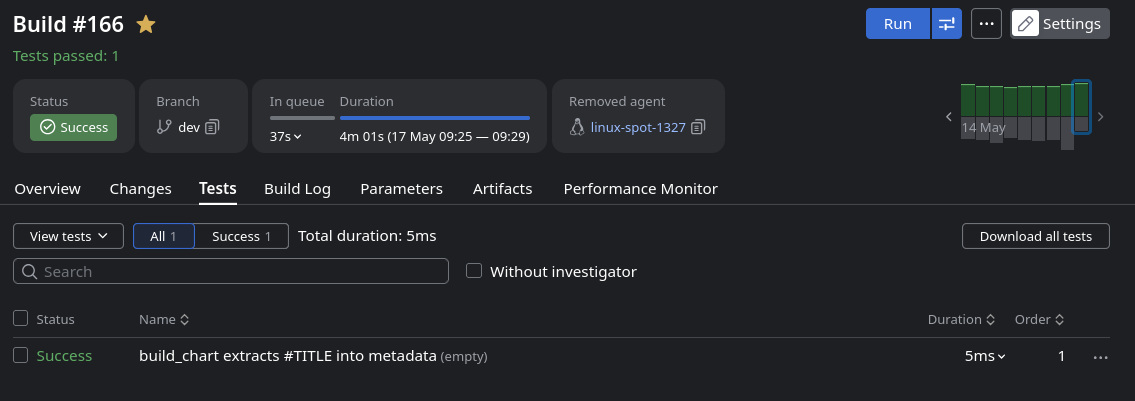
These were just to confirm that I’m already doing everything right, I expected every test to pass from the start. Naturally, a third of them failed, and just building this minimal corpus led to a wave of fixes. I wasn’t expecting the effort to pay off that quickly.
Game features
Finally, we get to things you might actually notice.
Improved frame pacing
The previous frame pacing algorithm was pretty naive, and used a sleep primitive that wasted more CPU time busylooping than it had to. The sleep now performs rolling statistical analysis of the CPU scheduler jitter to decide on the safe thread-sleep duration. In English, it wastes as little CPU time as possible while staying safe from overshooting the target. The frame pacer itself adapted an improved algorithm by one Mason Remaley, with better resistance to frame spikes and faster convergence.
Smoother and more accurate inputs
The old code quantized input timestamps to the audio device’s sampling rate, delaying them by a tiny amount. They are now passed straight through, and notes are judged against the exact timestamp collected when the input was received. Also, playfield interpolation was removed at some point, and the game would look choppier than the framerate would suggest if the audio buffer size was too high. Oops.
Thread pinning
Playnote now employs hwloc to discover how the CPU is split into cores and threads. The resources are split up among the game’s threads and workers, making sure the render and audio each have one physical core to themselves, while the coroutine workers stay out of the way. On heterogenous (hybrid) CPUs, such as Intel Core’s 12th generation, threads crucial to responsiveness get P-cores while background workers get E-cores.
Background loading
With the coroutine worker system so polished now, it would be a shame not to make more use of it. The initial loading now only waits until enough samples are loaded to play the first 15 seconds of the BMS. The other audio required by the song is loaded in the background, as you play. This skips the initial loading of anywhere from ~80% to 99% (!) of the samples. Together with other general and targeted improvements, the time between pressing “Enter” on song select to hearing the music is downright disgusting:
- Toki: 77 milliseconds
- Gamegame: 35 milliseconds
- Homura: 107 milliseconds
- Nhelv: 69 milliseconds
- Black Lair: 93 milliseconds
- Destr0yer: 57 milliseconds
I was initially planning to prefetch BMS songs while the player is still selecting them, but that seems pointless now. I really need to stop myself from optimizing the loader any further. This is an intervention.
RAM usage fixes
The loader and song importer blaze through data as fast as your computer can handle, but they do it assuming that memory is infinite. Which it is, unfortunately, not. Importing just 7 songs I could see memory usage spike to 12 gigabytes. Oof. These helped get it down:
- The new songzip loader. Streaming contents in and out means no more loading entire file to memory, only the data that is actually needed.
- Sample cache based on shared tasks. When importing several charts of the same song in parallel, existing code deduplicated decoded and resampled audio in a cache. However, the use of the cache was to copy the data out of it into the chart. It deduplicated the disk load, but not memory residency. Charts now refer to the song’s audio data by reference, so multiple charts can share their common audio samples, while still loading only the shared set.
- Doing things in parallel is great, it makes things faster by filling up bubbles in the pipeline. It’s inevitable though that all of the things being processed in parallel need to have their working set resident in memory at the same time. If a song reads its data just to be enqueued to be processed 2 minutes from now, that’s a waste of RAM. There is now a semaphore controlling how many songs can be in flight at the same time (currently 3) to put an upper bound on this residency.
After these changes, the highest RAM usage peak I noticed during the same import was 2.4 gigabytes. 5 times less, and it’s actually faster now, too. Turns out using more memory also takes more time.
ASIO backend
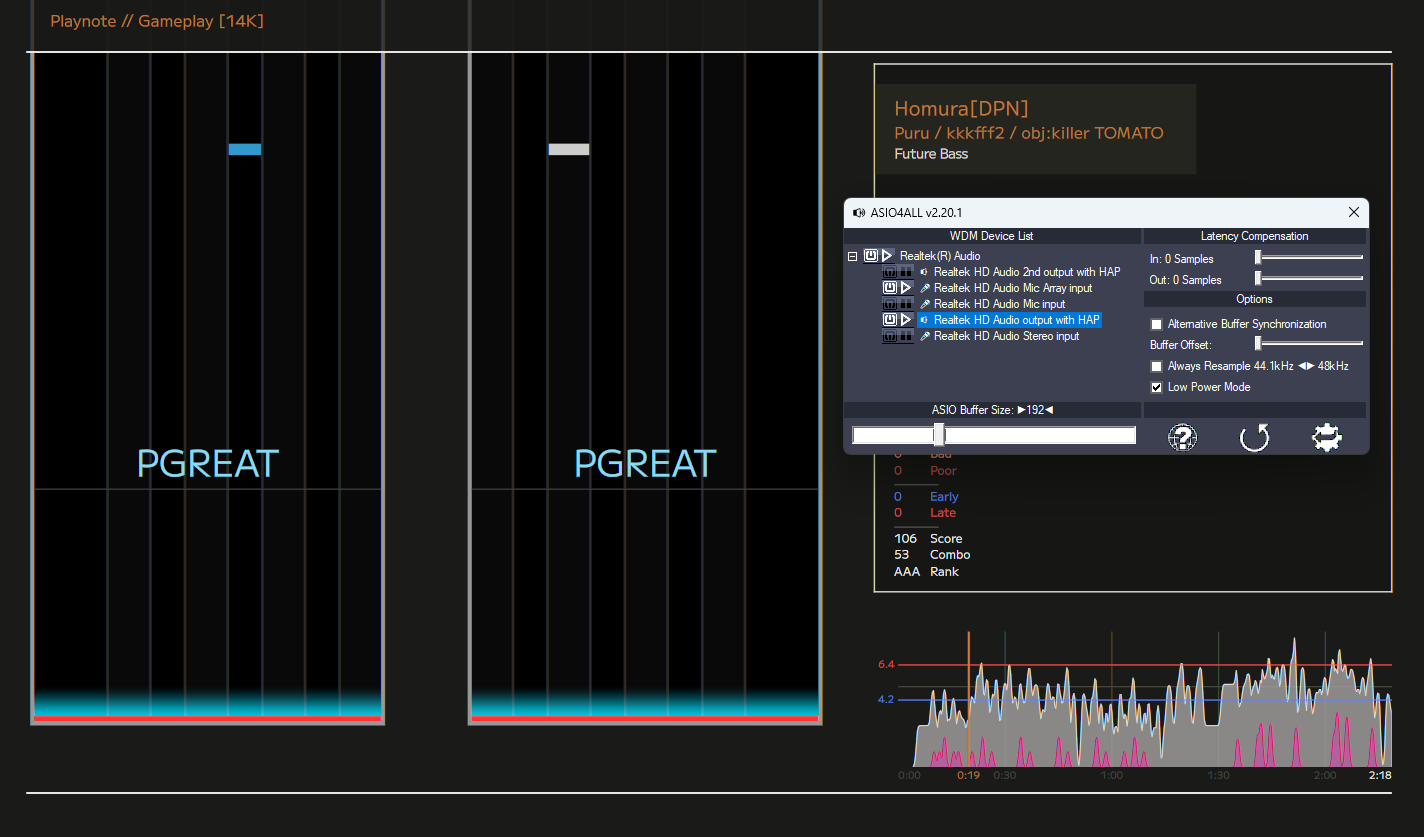
On Windows, ASIO is now available as an alternative to WASAPI. It’s an audio API by Steinberg (of Cubase fame) which takes exclusive control over the audio device, avoiding the Windows mixer entirely. External sound cards sometimes have an ASIO driver available for them, allowing more reliable and lower latency processing for professional purposes. And for rhythm games, of course.
By default, Playnote will first try every available ASIO driver installed on the system. If they all fail (or there aren’t any), it will fall back to WASAPI. ASIO can be forced to be used, with a specific driver, in the config.
Even if you’re in the 99% of computer users who have only the audio interface included with their motherboard, you might be able to benefit from ASIO. There are software-only drivers available which implement ASIO over WASAPI:
- ASIO4ALL,
- FlexASIO,
- Steinberg built-in ASIO Driver (how catchy.)
These are battle-tested and highly optimized, and might be capable of lower latencies than Playnote’s built-in WASAPI output. Certainly worth a try if you encounter any issues.
Up next
I promised score saving, so that. And, to make it more convenient to design new user interfaces, maybe something suspiciously similar to theming. Who knows~