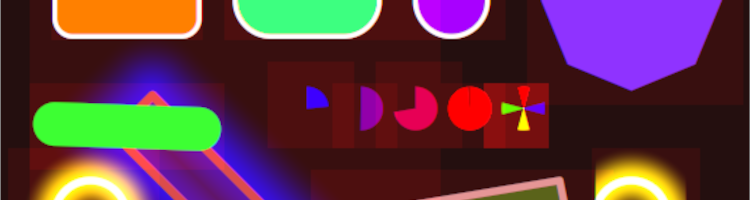
Let’s try doing this the other way around this time. Most of the work from the 0.0.5 milestone is in this image:
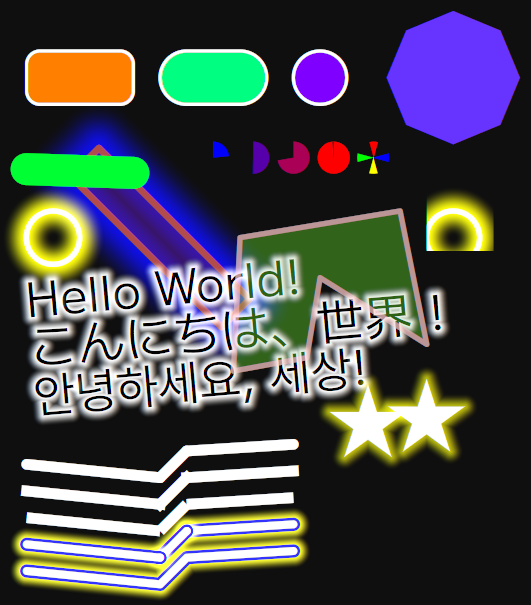
No filler. Let’s break it down.
A renderer from scratch
Up until now, the game used solid quads for the playfield and Dear Imgui windows for everything else. Of course, that wasn’t going to be enough for anything but the most basic test views. The real renderer would have to be able to handle every UI control and all gameplay graphics, run fast, and look beautiful doing it. So, I created a simple 2D software-GPU in compute shaders, which processes parametric 2D shapes instead of triangles.
Yeah. You should be used to my way of solving problems by now.
All shapes you can see above are created with equations, and computed on the fly every frame. There is no rasterization or textures involved, just a whole lot of math. No temporal accumulation is involved either. With this method, perfect analytical antialiasing (equivalent to MSAAx256) is quite literally free, as well as effects like outlines and glows.
Trip through the pipeline
At a high level, the renderer is not too dissimilar from a tiled GPU. The first shaders transform uploaded data from logical space to window space, like a vertex shader; this allows me to use the same coordinate system for any window size and aspect ratio.
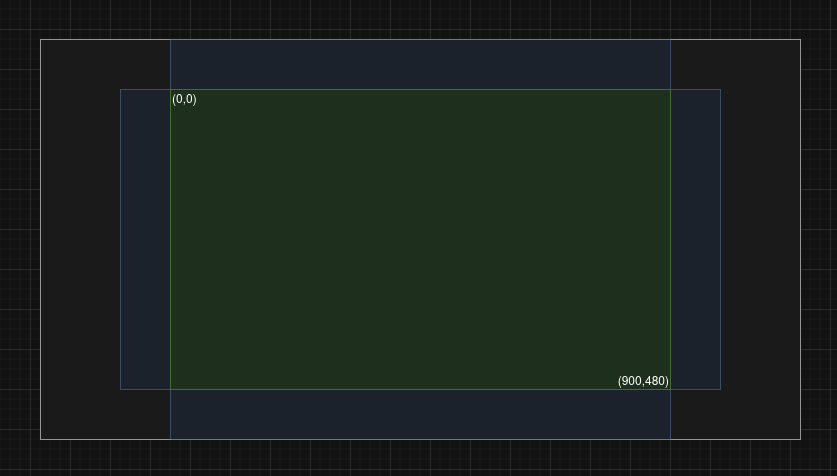
Green: the logical coordinate space.
Blue: Customizable margin.
While the interactive elements are all inside the green area, backgrounds and decorative elements extend outside!
Then, it’s time to assign work. The next shader calculates each shape’s bounding box. Afterwards, the screen is split into 16×16 tiles. Each tile goes through the list of bounding boxes, keeping track of which shapes can possibly be inside it.
Once that’s done, it’s time to draw. Each pixel of the screen finds its tile, reads the list of shapes that tile might contain, and loops through it to draw everything at once. The screen goes from blank to finished here, in this one compute dispatch.
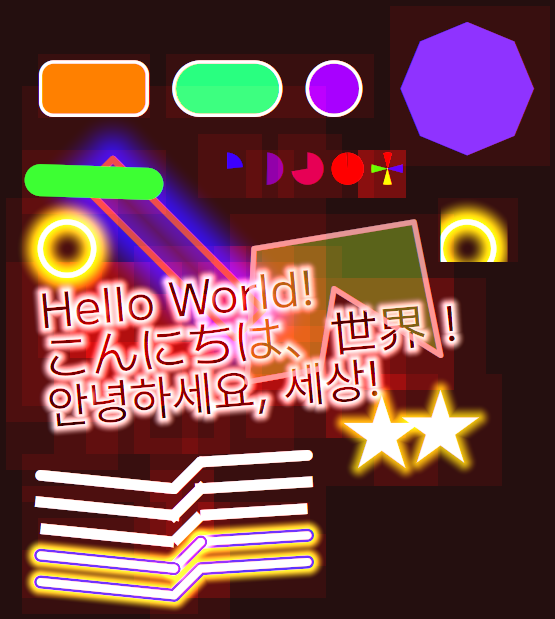
Features

For how the text is drawn, the previous post goes in-depth.

Funfact: the alpha blending is actually done front-to-back! The usual operator is inverted, compositing a new color behind the ones already blended. The benefit of this approach is that once the pixel is fully opaque, there’s no point in going any further back – the remaining shapes are fully occluded, and won’t provide any contribution to the final color. The blend operator also works in linear space, and uses premultiplied alpha for plausible and pleasing results.
Subpixel rendering (also known as ClearType on Windows) is typically used for text, but this renderer can do it for all graphics! By default it uses the same setting as the OS, but this can be overridden in the config.
How fast is it?
Fast. On my Radeon RX 5700 XT:

These times are in nanoseconds. That means drawing the entire frame containing the test scene above takes 0.16ms.
Other changes
The renderer’s the big thing, but there’s a few other changes that deserve a mention.
Switch to Slang
Playnote’s shading language of choice is now Slang, which has recently been adopted by the Khronos Group of Vulkan fame. It’s still a bit rough around the edges, but is seeing active and rapid development, and is already incredibly powerful and expressive compared to the major players, and I experienced far fewer compiler crashes and miscompiles with it than with dxc‘s SPIR-V output.
To support it, Playnote’s required Vulkan version is now 1.3. This should be fulfilled by every GPU out there still receiving updates.
Low latency mode
In practice, ultra-low audio latency is wasted if the visuals aren’t snappy to match. To improve video latency, Playnote now implements a home-made version of Reflex, waiting until the last possible moment to prepare and present a frame. The difference is quite noticeable – it combines the latency of VSync off with the energy savings of VSync on. It requires a reasonably stable level of performance, and so it can be disabled in the config in case it causes stutters; it replaces the option to disable VSync.
Another new config option changes the number of swapchain images; this is best known as single/double/triple buffering. The smaller the value, the better the video latency at the cost of higher performance requirements. It’s set to double buffering by default as a reasonable middle ground. Some compositors don’t allow setting this below a specific amount; in that case the game will still start, but the setting will be ignored and a warning printed to the logs.
Less system dependencies
This only matters for people building the game from sources, but it should now be a fair bit easier on Linux – nearly all dependencies are built by vcpkg rather than needing to be installed from the system package manager. This also unifies the build system further between the Windows and Linux versions.
Heap management
It turns out that the default implementations of memory allocators like new and malloc() aren’t very efficient, and there are many efforts out there to improve them. Playnote tries to be smart about memory, but still allocates a lot, so a switch to a third-party allocator is as close as you can get to basically free performance. Mimalloc is my allocator of choice for this. As a side effect, on Windows the game will now have to ship with a bunch of .dll files alongside it so that it can properly replace calls to the system allocator.
Asset packing
With font rendering come atlases and .ttf files, both of which need to be loaded by the game at startup. I could load them directly as files, but sqlite is faster than the filesystem, so naturally I did the faster thing. All assets are now packed into a single .db file, and optionally compressed with zstd. It feels cleaner too, I never liked cluttering the install folder.
Wayland support
Wayland support is now enabled in glfw, so Wayland users on Linux will now get a native window. That’s it.
Project news
Due to lack of confidence in GitHub‘s recent direction, Playnote has migrated to Codeberg. The GitHub project is now archived; all further development continues on the Codeberg project. CI builds are temporarily unavailable during migration to a new CI provider.
In case you missed it, Playnote now has a Discord server! Join to discuss development and be notified of new updates and blogposts.
What’s next
The new renderer needs to be put to work! 0.0.6 will involve designing common UI controls out of the available shapes, until the makeshift Imgui views can be entirely replaced. Stay tuned.